


Gemma 4 Guide: How to Choose the Right Model & Run It Locally with Ollama
 Khaled Hawwas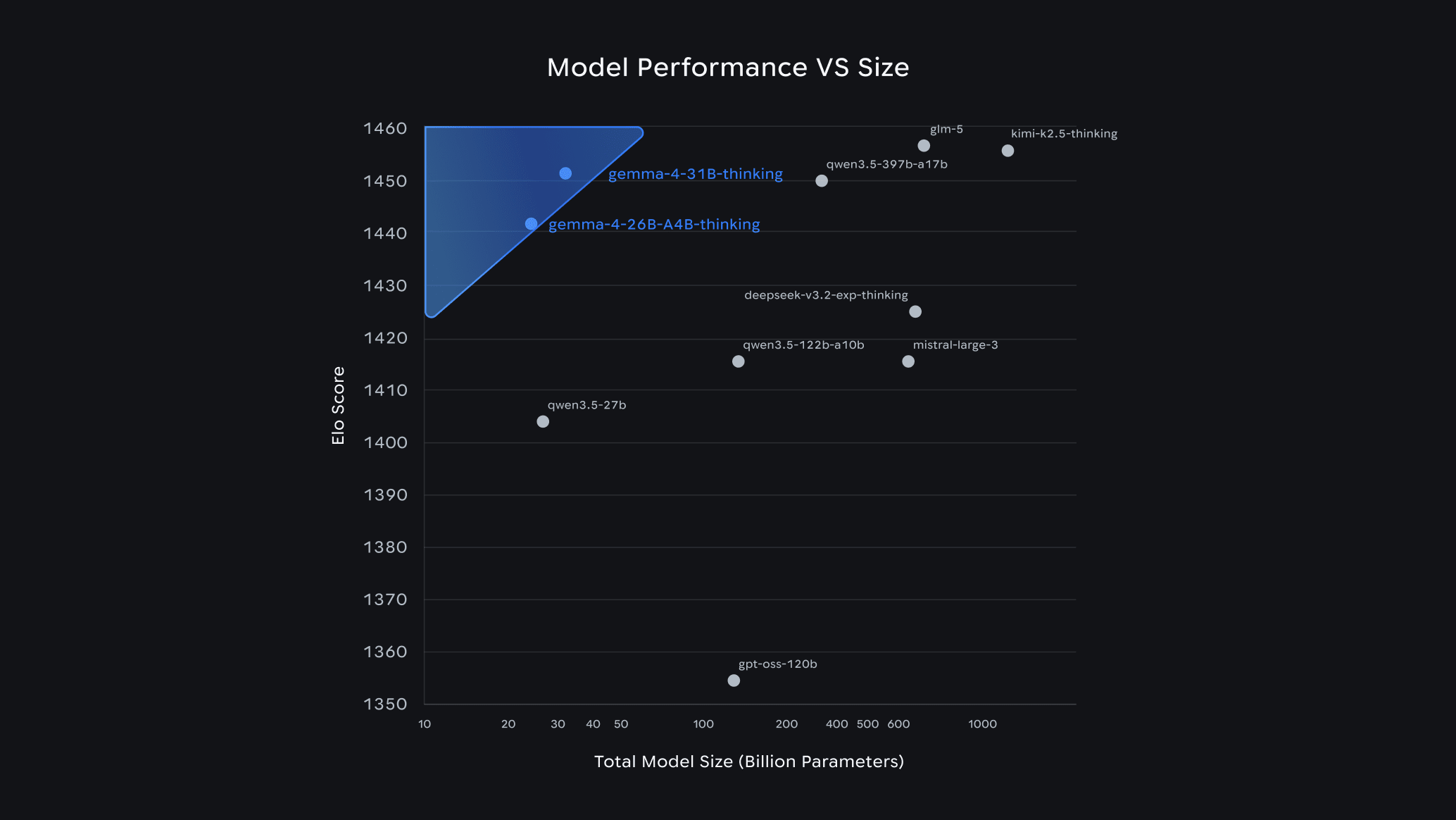
Gemma 4 Guide: How to Choose the Right Model & Run It Locally with Ollama
Google dropped Gemma 4 on April 2–3, 2026, and the developer community hasn't stopped talking about it since. Within 24 hours of launch, it ranked #3 among all open models on the Arena AI leaderboard — outcompeting models 20x its size. The best part? It's completely free, open-source under the Apache 2.0 license, and you can run it on your own laptop today using Ollama.
In this guide, we'll explain what Gemma 4 is, how to pick the right variant for your hardware, and how to get it running in minutes.
What Is Gemma 4?
Gemma 4 is Google DeepMind's latest open-source AI model family. Built from the same research that powers Gemini, it supports:
- Text, image, and audio input (on E2B and E4B variants)
- Native function calling with JSON schema — no prompt tricks needed
- Configurable thinking mode — enable chain-of-thought reasoning on-demand
- Context windows up to 256K tokens on larger variants
- Agentic workflows out of the box
Compared to Gemma 3, the jump is massive: the 31B model scores 80% on LiveCodeBench v6, up from 29.1% on Gemma 3 27B. Its Codeforces ELO jumped from 110 to 2150.
Gemma 4 Model Variants at a Glance
Gemma 4 comes in four sizes to fit different hardware and use cases:
| Model | Parameters | Disk Size | Min RAM | Best For |
|---|---|---|---|---|
gemma4:e2b | ~2B | 7.2 GB | 4–8 GB | Edge devices, IoT, audio/image tasks |
gemma4:e4b (default) | ~4B | 9.6 GB | 8–16 GB | Most laptops and developers |
gemma4:26b | 26B (3.8B active) | 18 GB | 20 GB+ | Best quality-per-GB (MoE architecture) |
gemma4:31b | 31B | 20 GB | 24 GB+ | Maximum quality, serious hardware |
Tip: The
26bmodel uses a Mixture of Experts (MoE) architecture — it has 26B total parameters but only activates 3.8B per token. That means you get near-13B quality at 4B speed. It's the smart pick for most power users.
How to Choose the Right Model
💻 You have a basic laptop (8GB RAM)
Go with gemma4:e4b — the default. It handles code review, Q&A, and generation tasks comfortably. If RAM is very tight, try gemma4:e2b (7.2 GB).
🖥️ You have a mid-range workstation (16–20 GB RAM or VRAM)
The gemma4:26b MoE variant is your sweet spot. With Q4_K_M quantization it fits in ~16 GB and performs like a 13B dense model at 4B speeds.
🔥 You have a high-end GPU (24GB+ VRAM) or Apple Silicon (32GB+)
Go all in with gemma4:31b. It competes with cloud models on most coding and reasoning tasks, and scores 85.2% on MMLU Pro.
📱 You're building for edge / mobile / IoT
Use gemma4:e2b — it supports audio and image input, runs on 4GB RAM, and is optimized for low-latency on-device inference.
Rule of thumb: Start with e4b. If it feels slow or quality isn't enough, scale up to 26b.
Quick Start: Running Gemma 4 with Ollama
Step 1 — Install Ollama
Ollama is the easiest way to run local LLMs. One install, one command.
macOS:
brew install ollama
Linux:
curl -fsSL https://ollama.com/install.sh | sh
Windows: Download the .exe installer from ollama.com.
Then start the service:
ollama serve
Make sure you're on Ollama v0.20.0 or later — earlier versions don't support Gemma 4. Check with:
ollama --version
Step 2 — Pull Your Gemma 4 Model
# Default (E4B — best for most users)
ollama pull gemma4

# MoE variant (best quality-to-size, needs 20GB+)
ollama pull gemma4:26b

# Full flagship (needs 24GB+)
ollama pull gemma4:31b

# Smallest model (edge / limited hardware)
ollama pull gemma4:e2b
Download sizes range from ~7 GB (E2B) to ~20 GB (31B).
Step 3 — Run It
ollama run gemma4
That's it. You're now running a top-3 open-source AI model, completely offline, for free. Try asking it something practical:
Tags
Related Posts

When to Use JavaScript Rendering (And When You Don’t Need It)
Not sure whether a page needs JavaScript rendering to crawl correctly? This guide shows when to use `render_js=true`, when standard HTTP crawling is enough, and how to use a cost-efficient fallback strategy with Crawleo.
LangChain v0.3 Tutorial & Migration Guide for 2026
Learn what’s new in LangChain v0.3 and how to migrate: Runnables, new agents, tools, middleware, MCP, and testing patterns for modern AI agents in Python.